
In every restaurant or food business, managing expenses efficiently is just as important as managing sales. Websol Bawarchi POS helps restaurant owners record, track, and manage all types of expenses — such as electricity bills, gas bills, rent, and maintenance costs — directly within the system.
With this feature, business owners in Pakistan can keep their Restaurant organized, gain better control over their cash flow, and easily prepare for reporting and tax compliance.
Steps to Create an Expense in Websol Bawarchi POS
Follow these simple steps to create and manage expenses in your Bawarchi POS system:
Step 1: Log in to the System
Open Websol Bawarchi POS and log in using your credentials to access the Main Menu.
Step 2: Open the Expenses Module
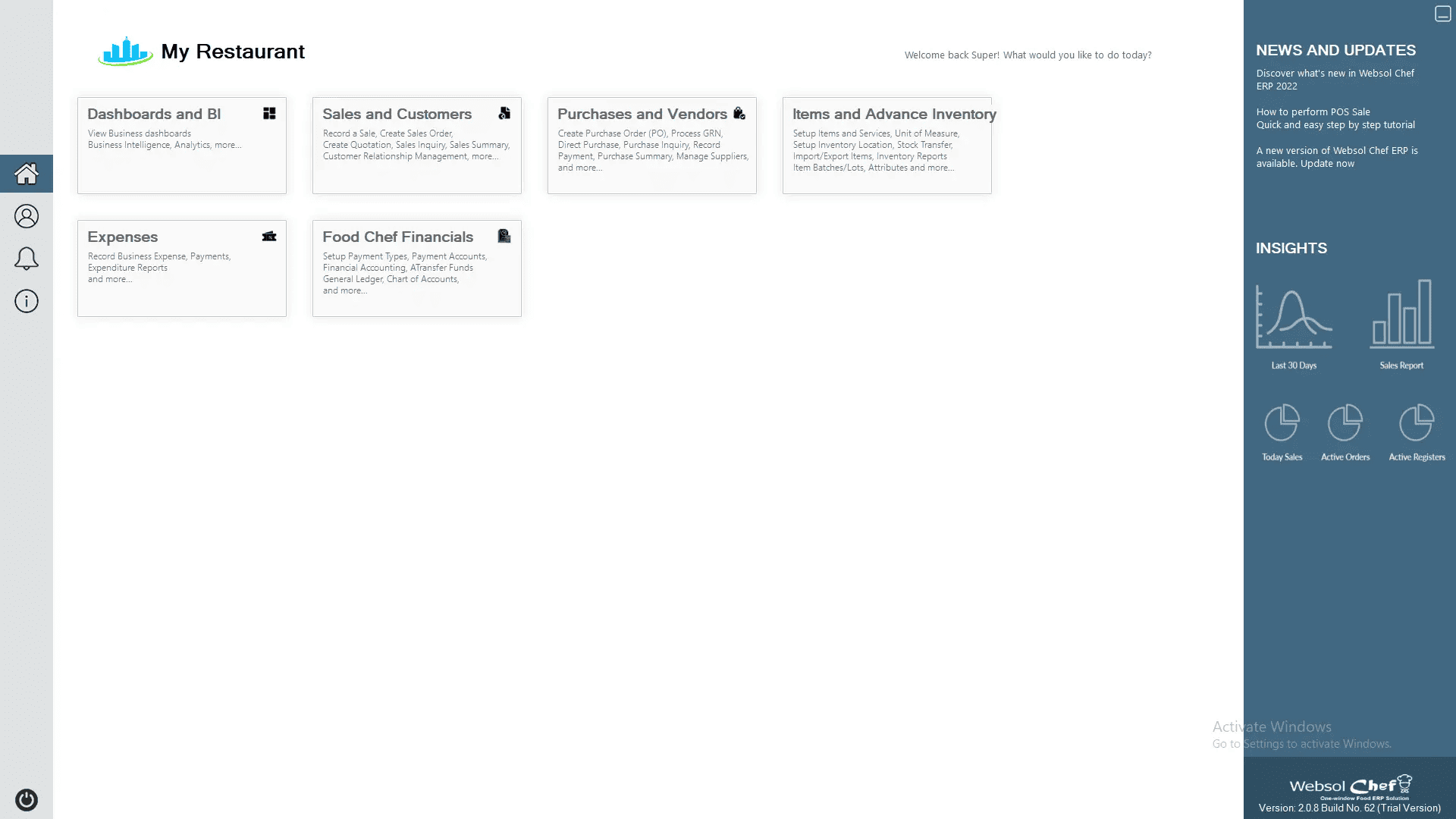
On the main screen, click on “Expenses” from the left-side menu.

Step 3: Locate the Maintenance Section
-
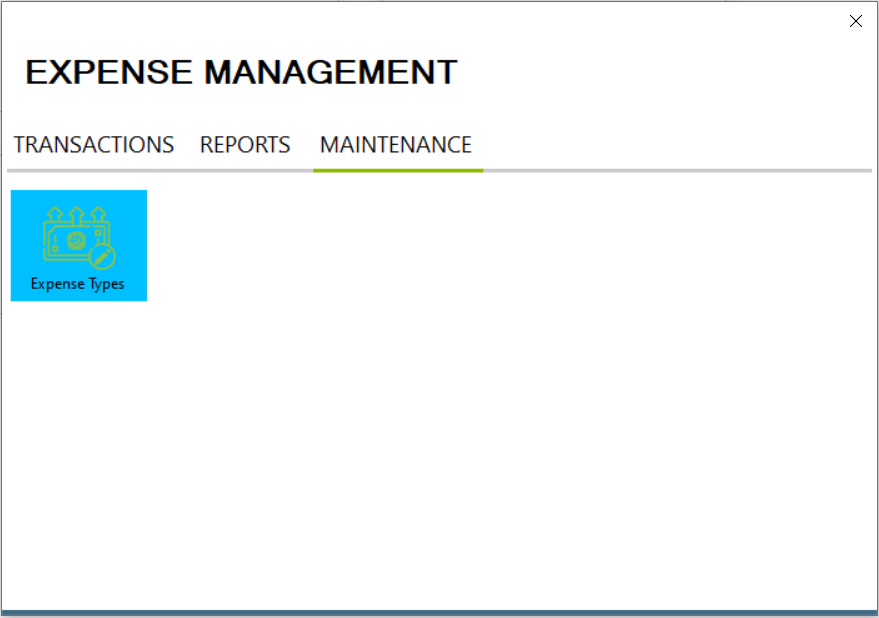
Once the Expenses window appears, click on the “Maintenance” tab on the top bar.
-
From the options, select “Expense Types” to define or view your list of expense categories.
Step 4: Create a New Expense Type
-
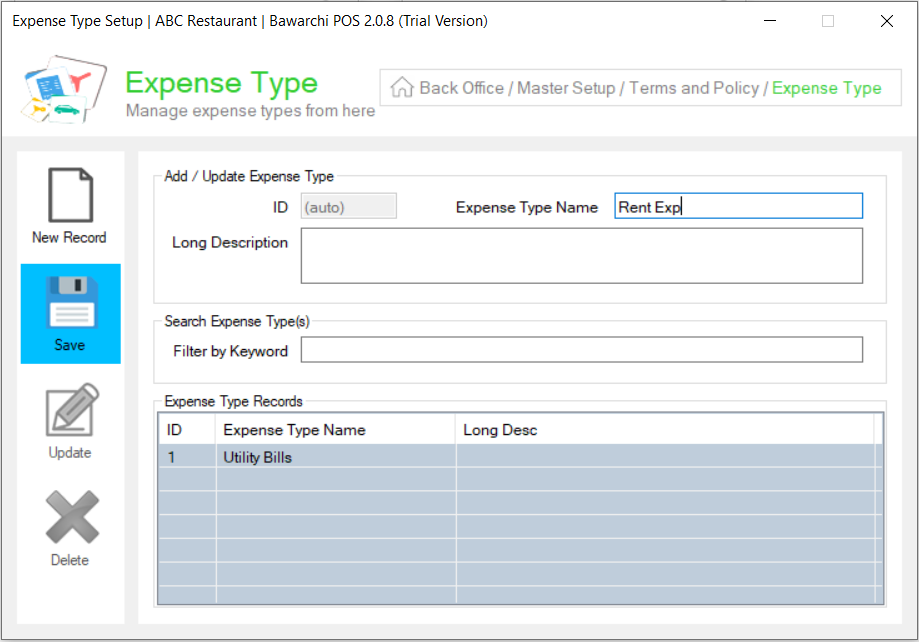
In the Expense Type Name field, enter the name of the expense (for example, Utilitiy Exp, Salaries Exp, Monthly Rent).
-
Click Save on the left side.
-
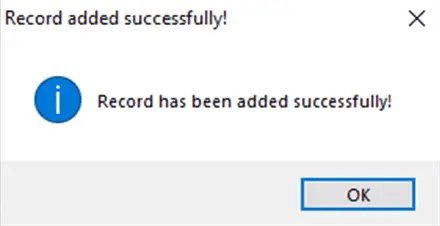
A message box will confirm: “Record has been added successfully.”
-
Click on ok and then close the window.
Step 5: Add a New Expense Transaction
-
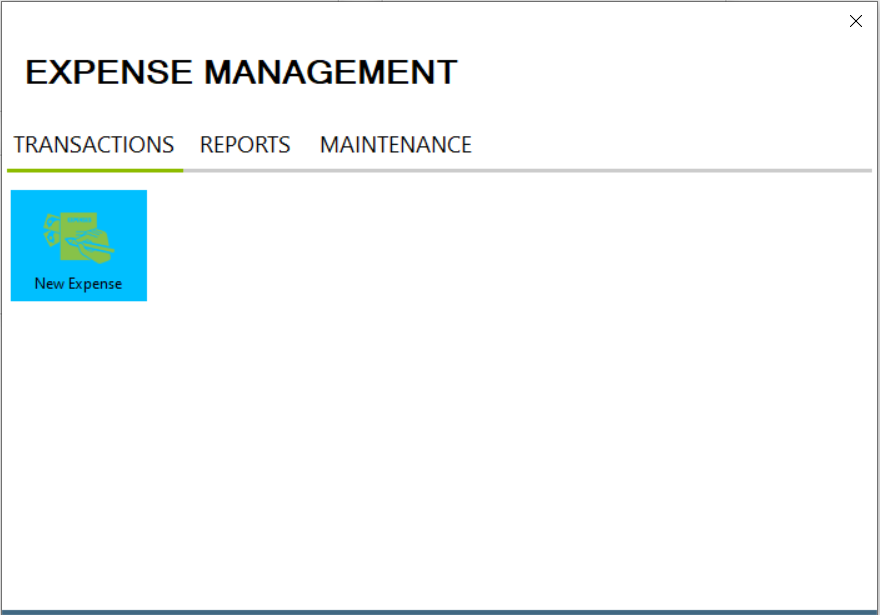
Go back to the top bar and click on the “Transactions” tab.
-
Select “New Expense” from the list.
-
The New Expense window will open on your screen.
Step 6: Enter Expense Details
Fill in the required details as follows:
-
Short Description: (e.g., Electricity Bill for October)
-
Amount: Enter the total expense amount.
-
Expense Type: Select the relevant type from the dropdown menu.
Finally, click Save to record your expense.
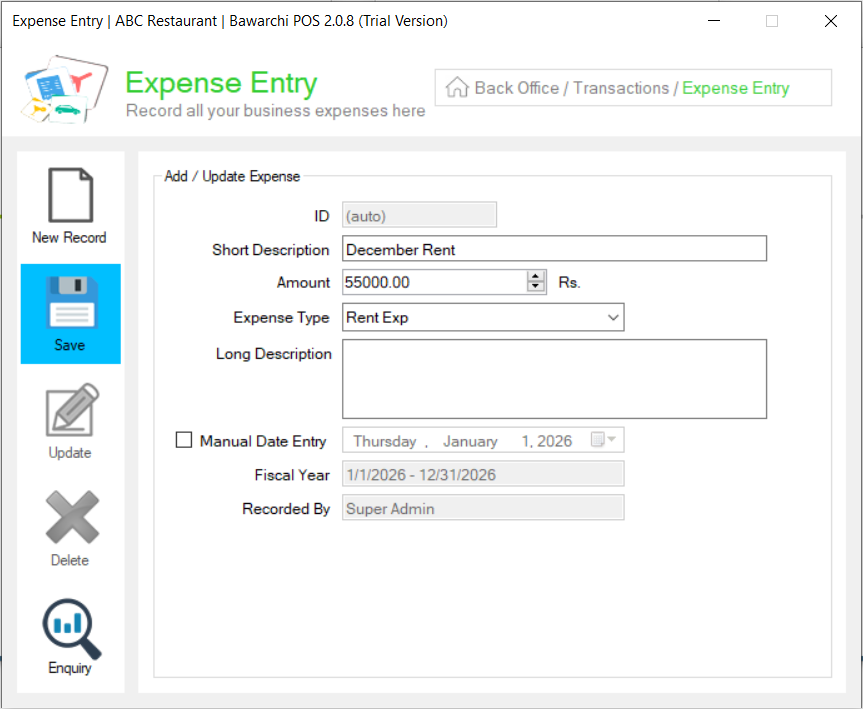
A message will appear: “Record has been added successfully.”
Close the window once saved.
Click Here To Watch Video Tutorial
Pro Tip:
Regularly updating your expenses in Bawarchi POS helps you:
-
Get a clear view of your restaurant’s daily, weekly, or monthly spending.
-
Prepare accurate financial reports for audits.
-
Identify unnecessary expenses and improve overall profitability.
Summary
Creating expenses in Websol Bawarchi POS is quick and essential for restaurant accounting. By maintaining a record of your bills, rent, and other payments within the POS, you keep your restaurant’s finances transparent, accurate, and Tax-compliant.
Keywords
-
Restaurant POS Pakistan
-
Bawarchi POS
-
Websol POS
-
FBR Integration
-
Expense Management
-
Restaurant Expense Tracking
-
Bawarchi POS Tutorial
-
Back Office Guide
-
Restaurant Accounting Software
CALL US NOW!
+92 311 052 0111 | +92 21 3722 1800
PRODUCT DETAILS
https://www.pointofsale.pk/products/bawarchi/
#websol #websoltechnologies #websolpos #bawarchipos #restaurantpos #restaurantsoftware #possoftware #cashregister #kitchendisplaysystems #billingapp #billingsoftware #fbrpos #srbpos #accountingsoftware #accountingsolutions
