
Managing restaurant expenses is much easier when you can quickly review where your money is going. With Websol Bawarchi POS, restaurant owners can view, filter, and print expense reports on a daily, weekly, or monthly basis.
This feature helps you track your spending patterns, prepare for tax compliance, and make smarter business decisions — all from one dashboard. Whether you want to review yesterday’s bills or analyze last month’s total costs, Bawarchi POS gives you a complete financial overview at your fingertips.
Steps to View an Expense Report
Follow these simple steps to generate and review your expense report in Websol Bawarchi POS:
Step 1: Log in to the System
Open Websol Bawarchi POS and log in using your credentials to access the Main Menu.
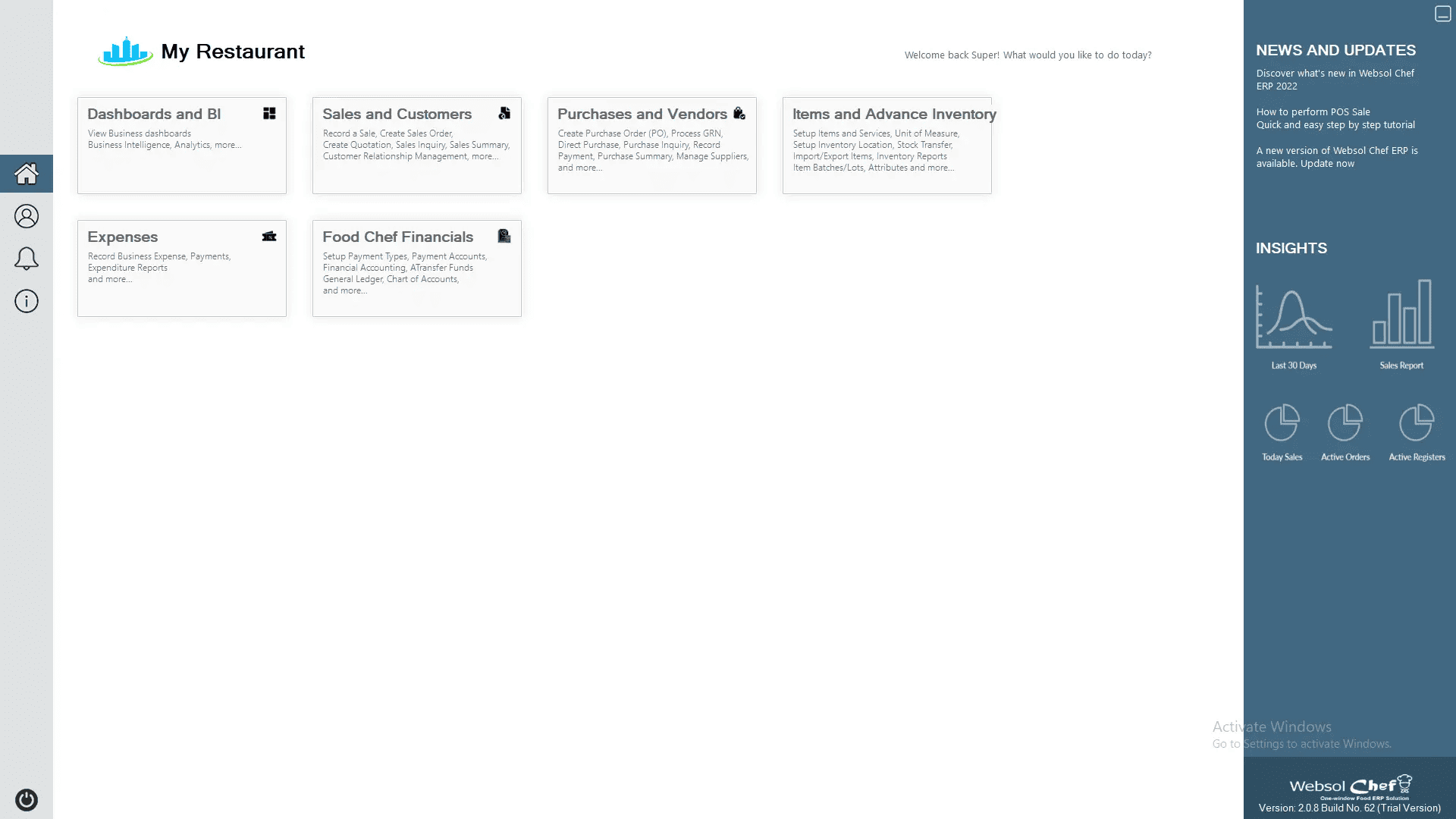
Step 2: Go to the Expenses Module
On the main window, click on “Expenses” from the menu.

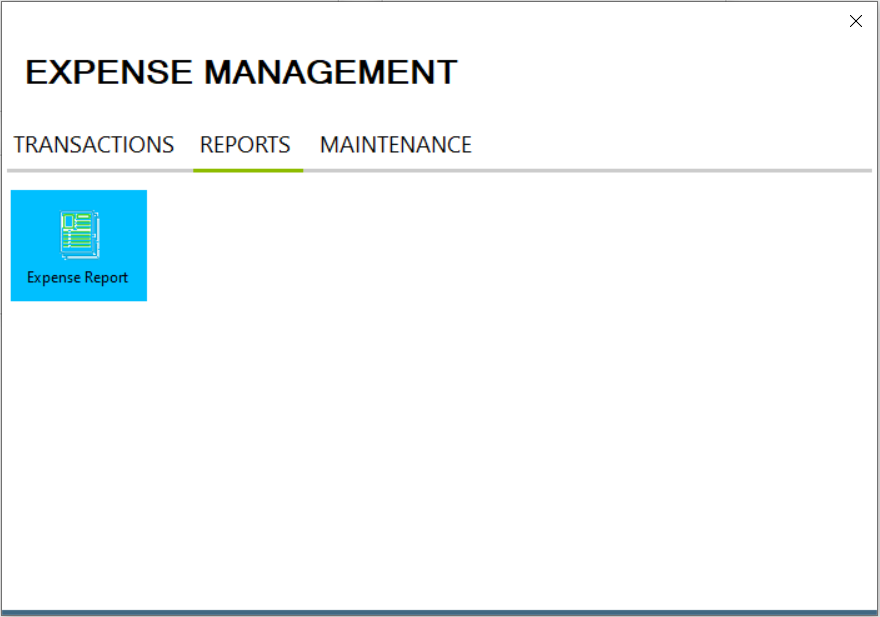
Step 3: Open the Report Section
Once the Expenses window appears:
-
Click on the “Report” tab located on the top bar.
-
In the Report section, select “Expense Report.”
Step 4: Apply Filters
-
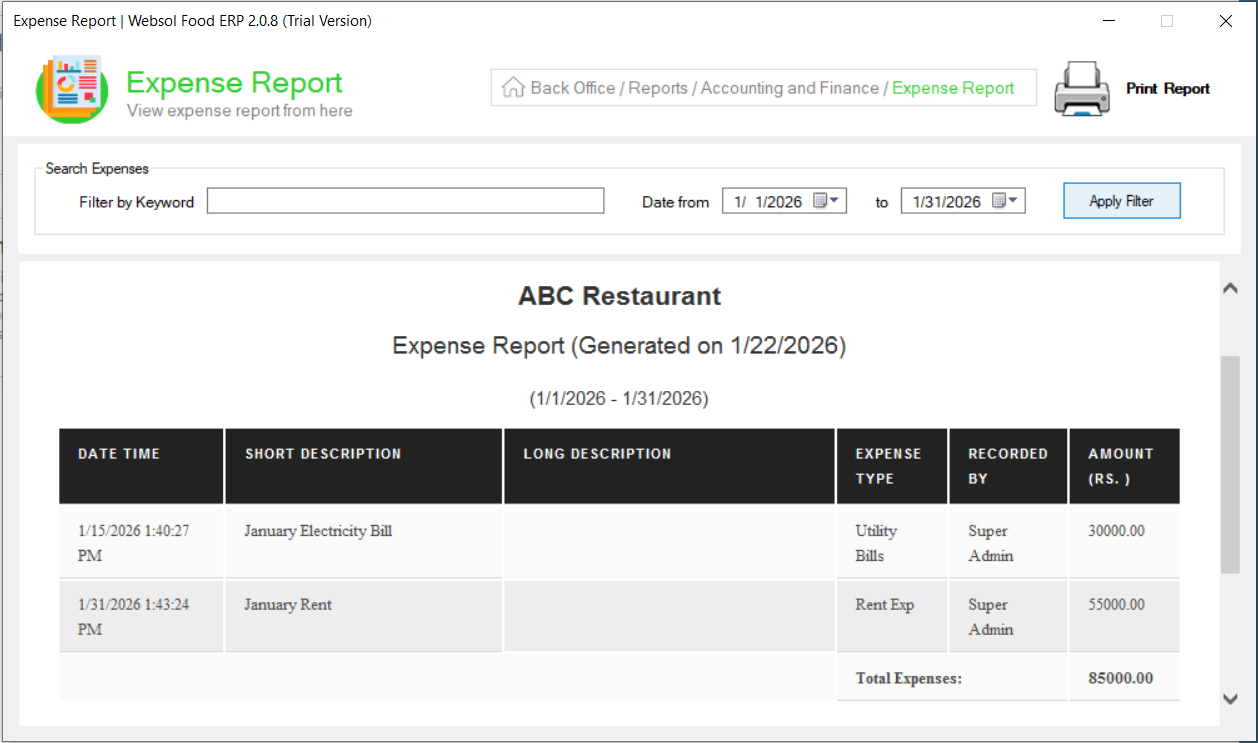
In the Search Expenses panel, choose your desired date range by selecting “Date From” and “To.”
-
Click “Apply Filter.”
Your expense report will appear below, showing all recorded expenses within that date range.
Step 5: Print the Report
If you want to keep a hard copy, click the “Print Report” button on the top-right corner of the screen.
Step 6: Close the Window
Once you’re done reviewing or printing, simply close the window.
Click Here To Watch Video Tutorial
Pro Tip:
Regularly checking your Expense Reports in Bawarchi POS helps you:
-
Identify unnecessary costs early.
-
Stay compliant with audit requirements.
-
Maintain transparency and financial control across your restaurant operations.
Tip: Generate a monthly expense report at the end of each month for smoother financial reconciliation.
Summary
The Expense Report feature in Websol Bawarchi POS provides restaurant owners with complete visibility into daily and monthly expenses. By filtering reports and printing them directly, you can keep track of your restaurant’s financial performance.
Keywords
-
Restaurant POS Pakistan
-
Bawarchi POS
-
Websol POS
-
Expense Report
-
FBR Integration
-
Restaurant Accounting
-
Expense Management
-
POS Reports
-
Bawarchi POS Guide
-
Restaurant Back Office
CALL US NOW!
+92 311 052 0111 | +92 21 3722 1800
PRODUCT DETAILS
https://www.pointofsale.pk/products/bawarchi/
#websol #websoltechnologies #websolpos #bawarchipos #restaurantpos #restaurantsoftware #possoftware #cashregister #kitchendisplaysystems #billingapp #billingsoftware #fbrpos #srbpos #accountingsoftware #accountingsolutions
